Wednesday, October 10, 2012

Chapter 7

Focus Question:

How can teachers evaluate the effectiveness of educational software?

There are millions of resources out there that teachers can use and do use to further engage their students; but it never crossed my mind to ask if those sites/tools would actually improve their learning. Fortunately for us, there are ways to help reassure that our children are actually learning. Time-and-time again teachers try to find high-quality software to grab our students attention, but do these tool become too difficult for our students. Yes, we must provide the best software that allows them to explore, but we must also make sure that the software doesn't become too complex - this can cause boredom, lack of interest, and frustration.

Tech Tools:

This book has impressed me every single time with all of the neat resources that are provided through the "Tech Tool" sections, but this tool, by far, has been the coolest and most interesting one. At first, the illustration provided in the book looked cool but it was kind of a trun off because it reminded me of this awful computer programming class I had to take my freshman year of college. (Talk about judging a book by it's cover.) I gave it a chance anyway and went on the Scratch page. Take this from someone who was not tech savvy before taking this class, but boy this website made it so much fun to figure out how technology works for myself; and the best part of it all, students learn while playing! (At least they think they're playing.)  I'm an adult and I was having fun with this website, imagine how much fin students would have exploring and learning at the same time!? The following is a tutorial on Scratch :)


Summary:

Chapter 7 basically taught me how to find effective software to support lesson plans. The author also made sure to show us how to ensure that the software were benefiting the students instead of hurting them. There are all sorts of educational software that teachers for all grade levels, including great tutoring systems that that teachers can use as options for instruction. This may be a little bias, but I love how there were tools provided to help tutor students in math.



Friday, October 5, 2012

Chapter 6

Focus Question:

What and where are differnet types of educational websites availlable to teachers on the internet?

An educational website - a source of Internet-based difital content specifically designed to support the learning of K-12 curriculum. I personally feel that every type of teacher can benefit from these sources, if they are used properly and productively.

There are six major types pf educational websites:
1. Lesson plan websites
2. Student-to-expert websites
3. Real-time and recorded data websites
4. Archival and primary source websites
5. Skills/practice websites
6. Exploration and discovery websites

Tech Tool:

All 3 Tech Tools that the author shared with us in Chapter 6 are great resources, however, my favorite tool was the social bookmarking. (I didn't know that that's what they were called; I learned something new!) Anyway, I will be honest and admit that my decision was very bias. :) When Professor Coleman introduced my technology class to Delicious, I fell in love with the tool right away! Before being informed that social bookmarking existed, I was the type to lose and forget where I found useful inforamtion. It was super frustrating. Delisoius, along with other tools that are similar to it, not only help me save my favorite sites, it also helps me organize them. Delicious provides "organizational tabs", as I like to call them, which help categorize your sources by how you name them. I honestly thought that Delicious would be a tool that I would only use un Technolgy class, but but it's become a part of my life.

Summary:

Chapter 6 basically taught me about management. I personally become overwhelmed with the amount of resources that are readily available for the world to use! (Sometime, I don't even know where to begin, but I'm getting better since I started taking this class.) I tend to lose/forget which resource I found first  end up in this tedious cycle of trying to find my starting point. I was taught how bookmarking, socail bookmarking, and information alerts can further help teachers with keeping and organizing valuable information. I was also introduced to WebQuests and virtual fieldtrips; these tools extended our knowledge about how to utilize the web to make our students get into an inquiry about specific topics, instead of just feeding them the information. (They'll go on a quest to find the inforamtion on their own.) All in all, Chapter 6 was fun because I got my feet wet with WebQuests; it looks like something I'll use when I become a teacher.

Thursday, September 27, 2012

Chapter 5


Focus Question: How can teachers respond to problems of plagiarism when students use online resources?


Plagiarism - the act of directly copying or misinterpreting someone else's work as one's own


I do not believe that all students plagiarize intentionally, however there a those students who simply don't care. Many students may not be informed about how to properly research the web and give credit to the original author. (I didn't know how to properly give accreditation until I went to high school.)

As educators, we should take the ownership in properly training ourselves in how to conduct a research project, and then instruct our students on how to do so, step-by-step so that this problem with plagiarism can be avoided. Repetition on how to give proper accreditation would greatly reduce the chances of a student plagiarizing as well. (The book also provides a step-by-step lesson plan on how to teach students to properly conduct research on the internet.)

Tech Tools:

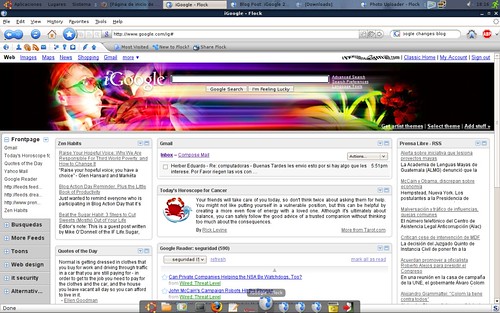
Every time I discover a new tool through "Tech Tools" in book, I get excited because they're actually useful things that teachers can use within a classroom setting! Anyway, the Tech Tool that I chose from this chapter was iGoogle. This tool basically allows you to customize your web browser through Google. Once you've created your page, you can do a variety of things with it like adding your favorite search engines or changing the appearance of the browser itself. It looks so cool! :)

photo credit to romerogt

Summary:

Chapter 5 provided me with tons of information about searching the web properly. The chapter began by providing information about different search engines, and then it further explained how they work, and how students can learn to avoid web pages that contain bias views and the purpose of the information itself. The authors actually went out of their way to provide us with search engines that are "kid friendly" and appropriate.

Thursday, September 20, 2012

About Me :)


Hello World!

First and foremost, I want to say how excited I am about this blog! My name is Manoushca and I am a 20 year old native Floridian. I am one of four girls in my family. (No boys.) My parents are from the country of Haiti so I wasn't exposed to the English language until I attended school; although I was born in the States my first language is technically Haitian Creole. I am an aspiring math teacher; however I know that I don’t want to be a teacher for very long. I’ll probably end up working my way up into administration. (I don’t know yet, we’ll see.)

            I graduated from high school in 2010, and have been in college year round ever since. (That means I haven’t had any vacations; I go to school during the summer time as well.) I went to a school in Naples, Florida by the name of Lely High School. I was super involved in all sorts of extracurricular activities like: student government, volunteering at regular K-12 schools and schools that focused on adult education, I played volleyball and cheered all 4 years, and the list goes on-and-on. (I was never home.) Anyway, high school was fun. I have a lot of great memories, but I’m enjoying college life as well.
           I attended a private institution called Florida Southern College when I first went off to school. I cheered there as well, made many friends, and created a great network of professionals that I can get in contact with in the future if needed. People from all over the world attend that school; from Asians, Europeans, Africans, people from the Caribbean, etc. It was a great environment! I decided to leave last year due to personal reasons; I miss it, however, I like the school that I’m attending now; it’s cool too. The college life is fun! I do what I want, when I want, how I want, whenever I want! 

           When I have free time I like to write, sing, and listen to music. I used to play many instruments as a child, but then I quit playing in middle school. I love to sing; I've been singing since I was 3 years old. I used to travel around the state sometimes with a band called Knights for Christ and sing background for them. (They still exist and they’re a great band!) I try not to be prejudice towards anyone. I give everyone the same respect I would want to receive. Loving and caring for people is what I enjoy doing. (I know that sounds a little corny but it’s true.) Attached is a picture that represents me. 

Peace & Blessings! 


Thursday, September 13, 2012

Chapter 4


Focus Question: What are “digital inequality” and the “participation gap”?

Digital inequality is a term that researches use when discussing the digital divide amongst different social groups. In the words of Mark Warschauer, “It is insufficient to conclude ‘that the mere presence of technology leads to familiar and standard applications of technology, which in turn brings about social change.” And he is absolutely right; adding machines in homes/schools itself will not make a difference in how students understand newer technologies.


Participation gap refers to the lack of technology between students. Basically minority, as well as low-income students, do not have the same opportunities to access or use new technologies for learning, like their peers do. The lack of the use of new technologies, unfortunately, causes these students to be less competent with this form of learning, therefore causing them to fall behind. (They never have the same experiences navigating the internet, engaging in online conversations, etc.)  

Tech Tools:

Unfortunately, there was only one Tech Tool throughout the whole chapter for me to choose from, however, it did  make the process of elimination super easy this time around.
J I feel on love with this website called Edutopia. (I actually found that that was the website that I was interested in doing for the discussion board assignment. That’s why I love this book! The tools that the authors provide always correspond with the lessons that you teach us.) Anyway, this website just provides a plethora of information about how to incorporate technology in/outside of the classroom. What I love about the most is that everything on the website is organized in such a way that everything and anything you can think of is easy to find. There’s also a blog, which means if one chooses they can be a part of the Edutopia community; I found that to be really cool. All in all, I love it! J  

Summary:

This chapter, in my perspective, really focused on digital divide, digital inequality, and the participation gap. There was also information about the integration of technologies, educational change, and the infusion of technology in the classroom and for professional work purposes. This chapter helped me understand how to use technology outside of the classroom. I’m used to teachers using the regular email and grading systems, but I never thought about using wikis or blogs with my fellow colleagues before. I thought that was pretty cool!

Thursday, September 6, 2012

Chapter 3


Focus Question: What is meant by "lesson development using technology"?

When I initially looked at this question I was very confused. It had never crossed my mind that a teacher could use technology, prior to reading this chapter, in their lesson plans. Boy, was I wrong I loved the example at the beginning of the chapter, where the author goes on to explain different ways one can weave technology in, as a tool, in their lesson plans. (Those examples helped a lot because the idea still couldn't register with me.)Anyway, this portion of the chapter explained the process of lesson planning with technology.

Step 1: What to teach (Academic Content)
Step 2: How to teach (teaching goals, methods, and procedures)
Step 3: How to know what students have learned (Learning Assessments)

All in all, lesson planning with technology doesn't seem as boring now! I'm so glad that lesson planning is much more than just scheduling. :)

Tech Tools:

Once again the tech tools in this book never seem to fail me. (I hate to admit, but usually I never read the "extra" stuff in other textbooks, but this book is just so helpful I always feel like I have to read them.) My favorite tech tool was the one that dealt with rubrics and quizzes. I actually went and searched the websites provided and those resources are actually things I would use throughout my career; I'm super excited!

Summary:

Chapter 3 mainly explained creative ways on how teachers can use technology to plan, deliver, and assess their lesson plans. The book gave two samples lessons that dealt with were student learning objectives and understanding by design (UBD). I learned that these two techniques are the opposite of test and performance assessments.

Chapter 2

Focus Question:  How can students express their creativity using technology?

Students now more than ever, are being exposed all types of technology ouside of the classroom setting. Video games, social networks like Facebook, searching tools like Google, music, the iPod, Touch, or Phone, don't even scratch the sruface of how much our students utilize the internet on a daily basis. However, are these students effectively learning how to utilize these programs/gadgets properly, or are they simply using them for their pleasure? This is where, as educators, we must step in and make a difference! Instead of banning these gadgets from the classroom, why not allow them have fun with the things they already have fun with inside the classroom? Teaching students how to create multimedia presentations, how to correctly search the web, and using graphing calculators are a great way for students to be creative in the classroom. This way they would be more engaged, focused, and they would actually be learning something new. Teaching them how to properly use these new technologies will allow them to be well equipped for their future jobs, and even more important the new generation of "tech geeks".

Tech Tools:

One thing I especially loved about this Chapter 2 was the tech tools. It seemed as if every single tech tool section provided something that aspiring math theachers could use in the classroom. Before reading this chapter I was still a little confused about how to use new technologies within a math class, but the websites provided made it simple and fun. (I guess I was rewawlly nervous about finding effective tools to use in a math class.)

Summary:

Chapter 2 really showed me how possible it can be to use technology in unique and creative way - bya allowing the students to create and this will transform their learning capabilities. Collaborative activities will allow students to become imaginative and learn how to express themselves through their original works.